
Ask why Microsoft Active Directory is still running in your estate and the honest answer is usually one sentence: because single sign-on to SAP would stop working without it. You moved workforce identity to the cloud years ago. The on-premises directory was supposed to retire with the last application that needed it, and then it turned out that the last application was SAP GUI. Kerberos needs a domain controller, a domain controller needs a forest, a forest needs care and feeding, and that is how twenty years go by.
On 3 September 2026 SecurityBridge released TrustBroker 5.1.0, with OpenID Connect built into the SNC library. That reads like a footnote in a release note. It is in fact the removal of one of the reasons identity modernisation programmes stall at eighty percent complete.
In short:
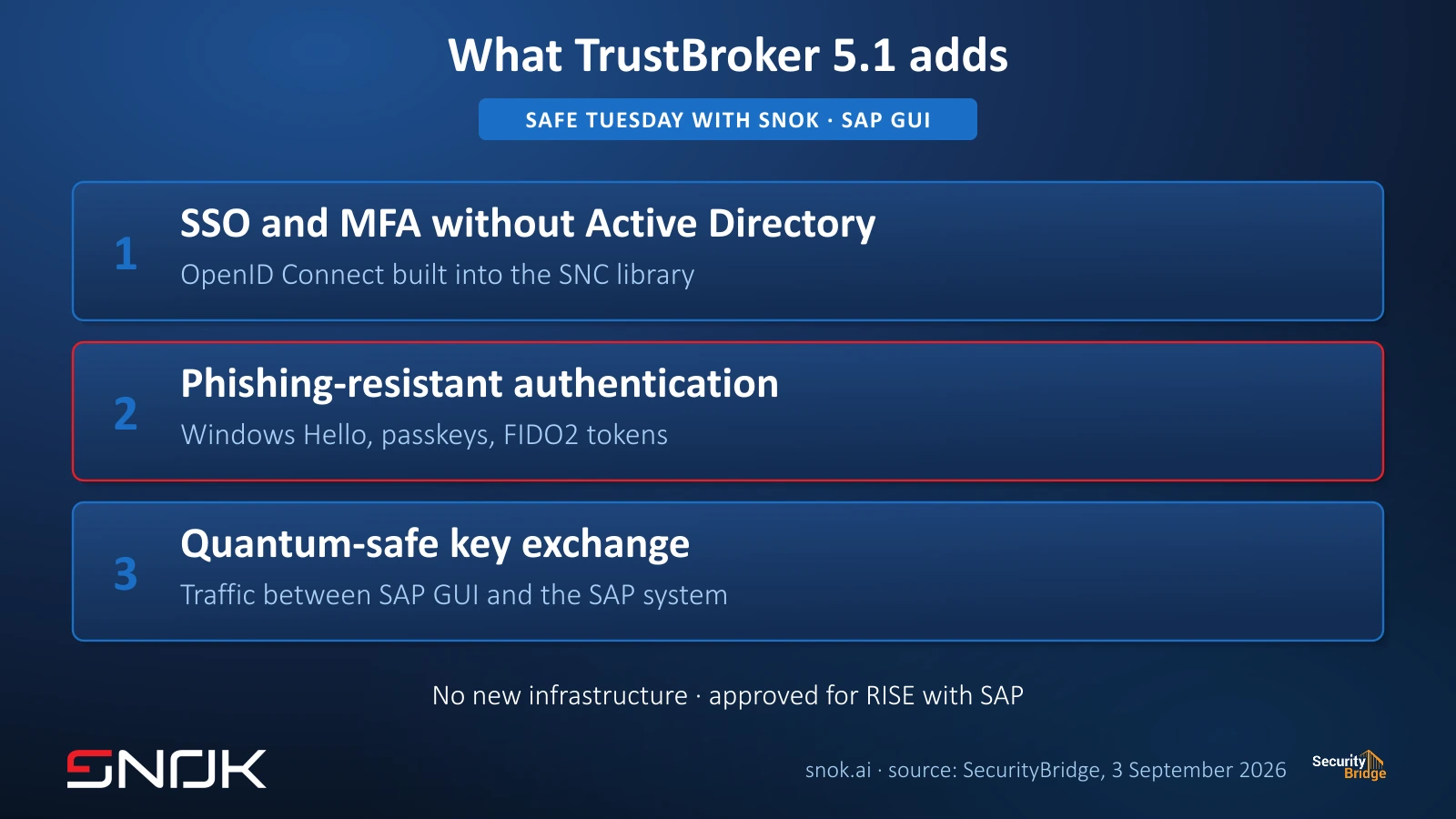
1/ single sign-on and multi-factor authentication reach SAP GUI with no Active Directory in the middle, connecting natively to Microsoft Entra ID, Okta, PingID, Keycloak and SAP Cloud Identity Services,
2/ Kerberos is not going away - it stays fully supported in the same library, so you migrate one system at a time, on your own schedule,
3/ SAP GUI logins can now be protected with phishing-resistant authentication: Windows Hello for Business, passkeys and FIDO2 tokens,
4/ traffic between SAP GUI and the SAP system is protected with quantum-safe key exchange.

A dependency nobody actually chose
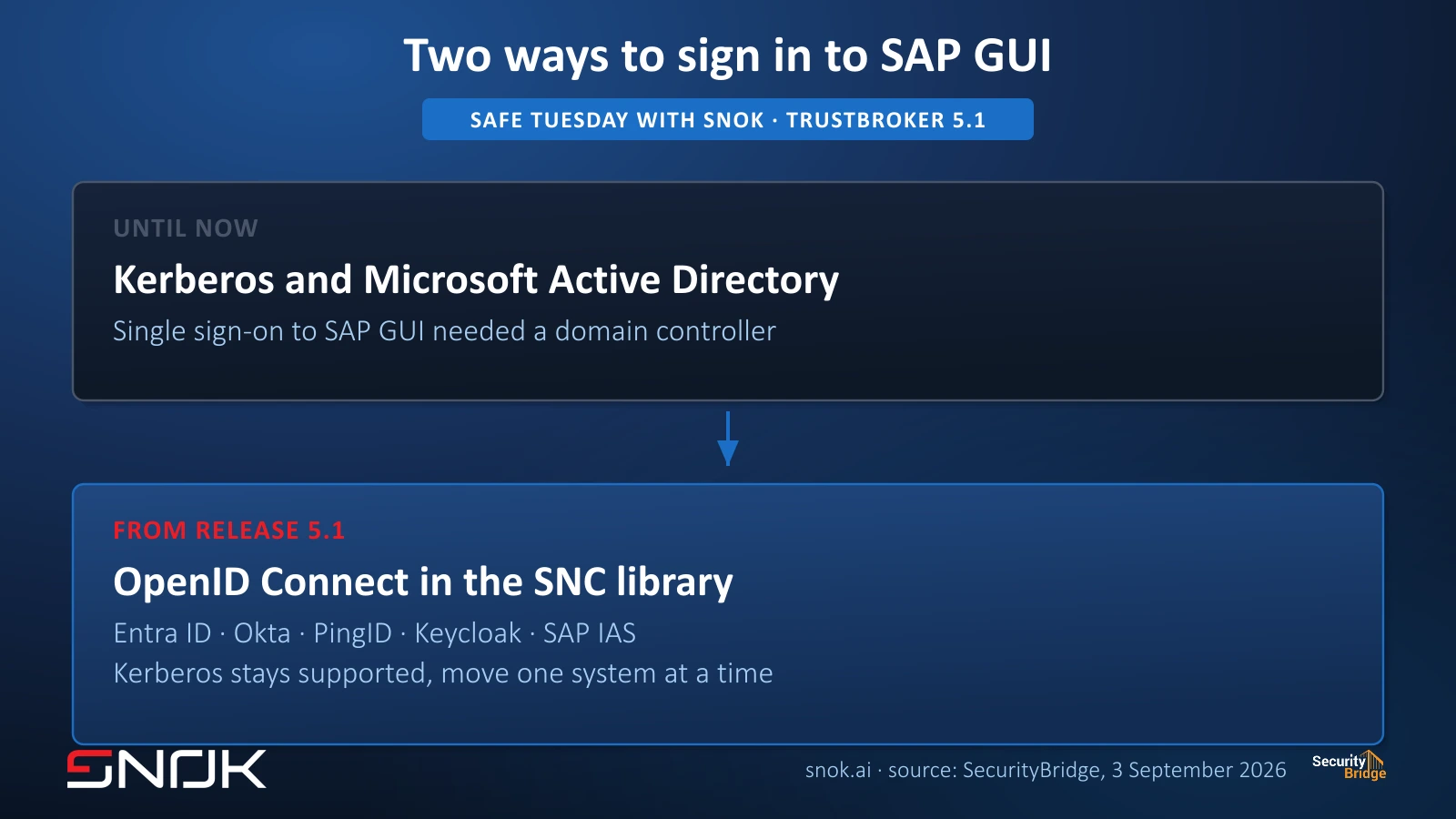
Single sign-on to SAP GUI runs through SNC, Secure Network Communications - the interface through which SAP accepts an authentication performed outside the kernel. The library plugged into that interface has, in corporate practice, spoken one language: Kerberos. And Kerberos in corporate practice means Active Directory.
Two consequences follow, and they are worth keeping apart. The organisational one: a directory you planned to decommission has to stay alive, patched and audited, because it holds the front door to the system that posts your financials. The architectural one is less obvious - if ERP access hangs on Kerberos, then an account takeover in the domain is an account takeover in SAP, and every additional identity control you built in the cloud simply does not sit on that path. We went through this in more depth when writing about Zero Trust for identity in the SAP world: “never trust, always verify” stops where the Kerberos ticket begins.
What actually changed in the SNC library
TrustBroker 5.1.0 puts OpenID Connect into the SNC library itself. A user starts SAP GUI, and the authentication goes to the identity provider you already run. The vendor names Microsoft Entra ID, Okta, PingID, Keycloak and SAP Cloud Identity Services, formerly IAS. Active Directory is not required anywhere on that path.
One deployment detail decides whether this clears architecture review at all: authentication runs inside your SAP application servers. The vendor states plainly that there is no new infrastructure and no external components to patch or maintain. For the Basis team that means no additional proxy in the critical login path. For the security team it means no additional attack surface to bring into vulnerability management.
Kerberos stays, so the migration is incremental
This sentence from the vendor material deserves a second reading, because it shapes the whole project: Kerberos remains fully supported in the SNC library. There is no switch-off date, no transition mode with a deadline, and no version upgrade that takes working sign-on away from you.
In practice you move system by system. Start with one landscape where a sign-on failure does not stop the ledger, confirm the behaviour of the SAP GUI client and of your policies, then move production. A programme where unplugging Active Directory is one big change over one weekend is a programme nobody has to plan that way.
Phishing-resistant authentication reaches SAP GUI
For a CISO, the second change matters more than the first. SAP GUI logins can be protected with passwordless methods: Windows Hello for Business, passkeys and FIDO2 tokens.
The difference from a one-time code is not cosmetic. A code from an authenticator app or an SMS is something a user can retype into a window that looks like yours but is not, while the attacker relays it into the real login. Phishing-resistant authentication binds the credential to a specific origin and a specific device, so there is nothing to retype. For what an attack that defeats a second factor without breaking any cryptography looks like, see our write-up of the Kali365 campaign abusing the OAuth device code flow, where the victim handed over access with MFA switched on.
Until now, conversations about strong authentication in SAP usually ended at Fiori and browser-based access, because that was where it could be done without rebuilding anything. SAP GUI stayed outside the scope, even though it carries the transactions with the highest financial weight and it is what administrators use. That asymmetry is closing.
Keys prepared for the quantum era
The third change sits in the network layer: traffic between SAP GUI and SAP systems is protected with quantum-safe key exchange. The threat model is “harvest now, decrypt later” - somebody records a session today and decrypts it in a decade or two, once today’s encryption stops being an obstacle. For payroll data, price lists and contract terms, the confidentiality horizon is often longer than the one we habitually assume.
This comes up more and more often in our conversations, and we covered it in the piece on encryption in the age of quantum computing. One practical note here: the vendor calls the mechanism “quantum-safe key exchange” and names neither the algorithm nor whether the mode is hybrid. If you run a cryptographic policy of your own, that is the first question to raise before a pilot.
This is not only about the login
TrustBroker itself is not new; the release is. That distinction matters, because the product does more than let a user in. Authentication policies sit on each SAP system separately, and your administrator decides when a policy is evaluated and which method is sufficient.
That is where the mechanism which defends itself best in front of a CFO comes from: raising the bar after the user is already inside. People sign in once, work normally, and when someone opens a sensitive transaction or data they do not touch every day, the system asks for a stronger proof of identity. Among the conditions, the vendor names an unusual time of access, a different device or location, and the user’s activity history - and, combined with the SecurityBridge platform, threat detection alerts.
Where it runs
The vendor lists the SAP application servers: RISE with SAP S/4HANA Cloud Private Cloud Edition, SAP S/4HANA on-premise, SAP NetWeaver AS for ABAP, SAP BW/4HANA, SAP NetWeaver AS for Java and SAP BusinessObjects BI Platform. Release 5.1.0 runs on Linux and Windows servers and on macOS and Windows workstations; other Unix platforms, AIX among them, are scheduled for a later release. Support was added for Red Hat Enterprise Linux 10, SUSE Linux Enterprise Server 16 and SAP GUI 8.10, and the product carries Citrix Ready certification, so sessions in Citrix Virtual Apps and Desktops use the same flow.
For customers on RISE, one sentence carries weight: the vendor states the solution is approved for RISE with SAP. That answers the first objection raised whenever anyone proposes adding anything to a landscape SAP operates.
What the vendor material does not say
We set this out separately, because a list of unverified claims is part of a serious product assessment, not a footnote to one.
The SAP certification claim and the RISE with SAP approval both come from the vendor’s own pages. We found no public SAP document confirming them independently, and before a decision we will ask for the integration scenario number. The material also does not say which OpenID Connect flows are supported, or how the solution behaves when a token is refreshed inside a long SAP GUI session. What is described is the SAP GUI client for Windows at version 8.10, so behaviour for SAP GUI for Java and SAP Business Client has to be confirmed separately. There is no public pricing and no statement of the minimum kernel level required on the SAP side. Worth knowing as well: the product page predates this release and still describes an Active Directory-based flow - the identity provider list on it is current, the narrative is not.
Six questions before a pilot
1/ Which system goes first, and what happens if sign-on to it stops working on a Wednesday morning
2/ Who on your side owns the authentication policy at system level, given that the policy lives on each SAP system separately
3/ Which passwordless methods are already deployed for your other applications, and will SAP use the same device registration path
4/ Which transactions are sensitive enough to require re-authentication after sign-on, and who approves that list
5/ What remains in Active Directory once SAP is off it, and what is the decommissioning schedule from that point
6/ What is the break-glass path for an administrator when the identity provider is unavailable and a production system needs intervention
Question six stays unanswered in most conversations longer than the other five combined, and it is the one that decides whether the project is production-ready.
How we approach this at SNOK
SecurityBridge is our technology partner. We deploy and operate the platform for customers, and we say so before the first recommendation, not after it. We are not claiming TrustBroker is the only answer here - single sign-on and multi-factor authentication for SAP can be built in other ways, and the right choice depends on where your identity lives, what your landscape looks like and what already works.
What release 5.1 changes is the problem statement rather than one vendor’s offering. If Active Directory survived in your estate mainly for SAP, you now have a reason to reopen that conversation with your identity architect. If you would like us to walk through the six questions above against your own landscape, get in touch - we start with a review of your current sign-on path, not with a product demo.
This article reflects the state of knowledge on 14 September 2026 and is based on information published by the vendor. Confirm scope of support, certifications and licensing terms in the SecurityBridge documentation and in your own contract before making a decision.