# SUSE and SNOK at Villa Foksal: where SAP defence should start
> Event report: SLES for SAP 16, SAP HANA on KVM instead of VMware, SecurityBridge inside the ABAP stack and SAP GUI single sign-on without Active Directory.
- Source: https://snok.ai/en/news/blog/suse-snok-sap-security-workshop-warsaw/
- Author: Jacek Bugajski
- Published: 2026-11-04
---
*By Jacek Bugajski, CEO of SNOK, and Jarosław Zdanowski, SNOK partner, who led our session at the workshop. We were both in the room.*
Tuesday 3 November, Foksal Street, Warsaw. The room at Villa Foksal was lit in green, plush SUSE chameleons sat on the tables, and the screen scrolled through the tasks of the Ansible role `sap_install` as it prepared a server for **SAP HANA**. We put the event, "From risk to resilience", together with **SUSE** for the teams responsible for the security and continuity of **SAP** systems. A Lunch & Learn format and a full room: every registered participant came.
The agenda was a cross-section of an SAP landscape, from the operating system kernel through virtualisation and the inside of the application to the moment a user signs in to SAP GUI. We looked at it from two sides, infrastructure and application security, so we are writing this report together, each in his own voice.
**Key points:**
**1/** the SUSE team presented SUSE Linux Enterprise Server for SAP Applications 16 with SELinux, automated installation through Agama and Ansible, and four console demos, including an SAP HANA failure diagnosed in Trento with an AI assistant,
**2/** SAP HANA on KVM is validated by SAP for specific scenarios and processor generations, currently up to 8 TB of memory per virtual machine on Intel Xeon 6,
**3/** in the SNOK session Jarosław Zdanowski explained what a hardened operating system cannot see: an attack carried out inside SAP, which SecurityBridge detects from within the ABAP stack,
**4/** SAP GUI sign-on via OpenID Connect in TrustBroker 5.1.1 works without Active Directory, and the server package is also available for SUSE Linux Enterprise Server 16.
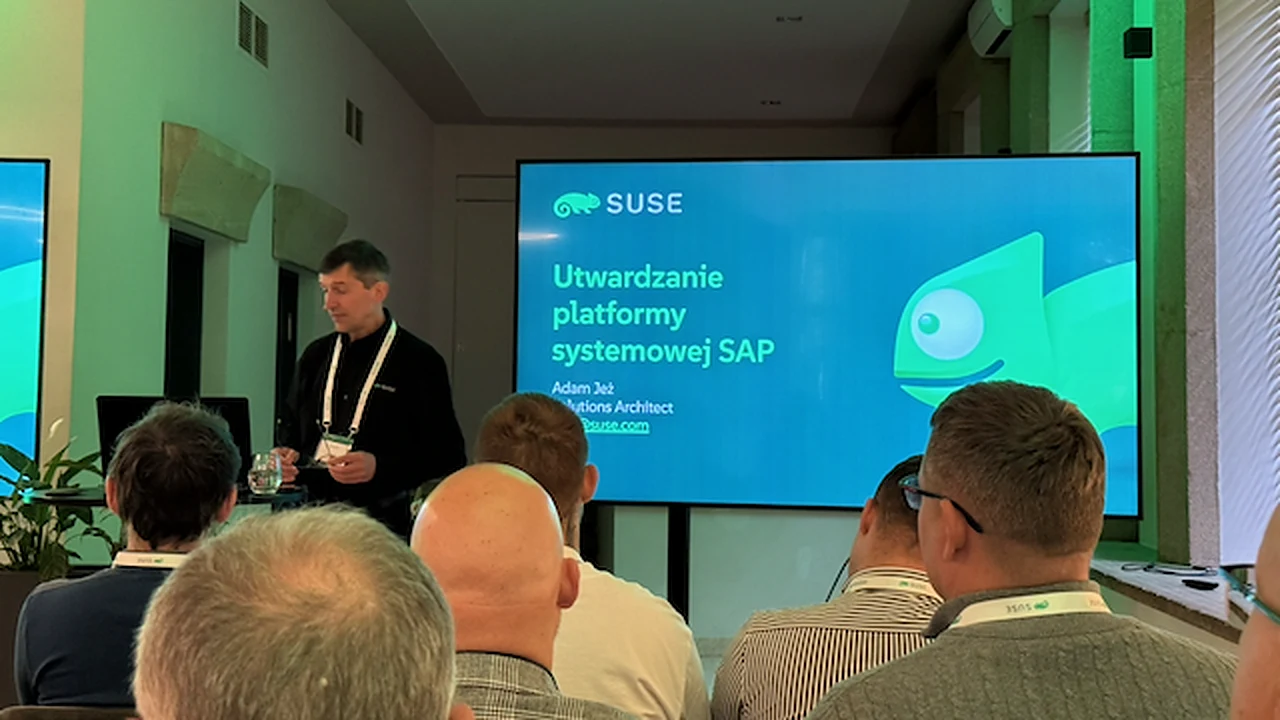
Hardening the SAP system platform - Adam Jeż, SUSE
## SUSE Linux Enterprise Server for SAP Applications 16 - hardened from the first install
The first ninety minutes belonged to SUSE. Adam Jeż, Solutions Architect, put the changes in **SUSE Linux Enterprise Server for SAP Applications 16** first. SELinux becomes the operating system's protection mechanism; SAP applications run in the unconfined domain and SELinux starts in permissive mode, so existing installations are not broken on day one. The saptune tool replaces sapconf and tunes kernel parameters to SAP workload requirements in line with SAP Notes. Agama drives the installation, and its configuration can be exported to a JSON profile and replayed on the next server. SUSE ships Ansible roles and playbooks developed in the open SAP Linux Lab initiative, and every minor release carries five years of support.
Then the slides gave way to the console. Four demos: automated installation of SLES for SAP 16, automated installation of a high-availability SAP HANA cluster, a kernel and glibc update by live patching with no reboot, and an SAP HANA failure diagnosed in Trento with a language model connected through an MCP server.
**Jacek:** For me this was the most important part of the day. A kernel patch postponed because a reboot needs a maintenance window, and a server built by hand slightly differently from its twin: anyone who runs SAP knows both excuses. Live patching and profile-based installation remove them. I wrote about hardening SAP HANA on SLES in our [guide to firewall configuration for SAP HANA](https://snok.ai/en/news/blog/hardening-sap-hana-on-sles-firewall/); version 16 moves much of that advice into the default configuration.
**Jarek:** Agreed on the platform, with one caveat. SELinux in permissive mode with SAP in the unconfined domain is a fair compromise, but it says plainly that the operating system does not watch what SAP does. A hardened Linux is necessary and not sufficient, and I would not want anyone leaving the room thinking that installing SLES 16 settles SAP security.
## Trento with an MCP server - an AI assistant for SAP HANA incidents, with limited permissions
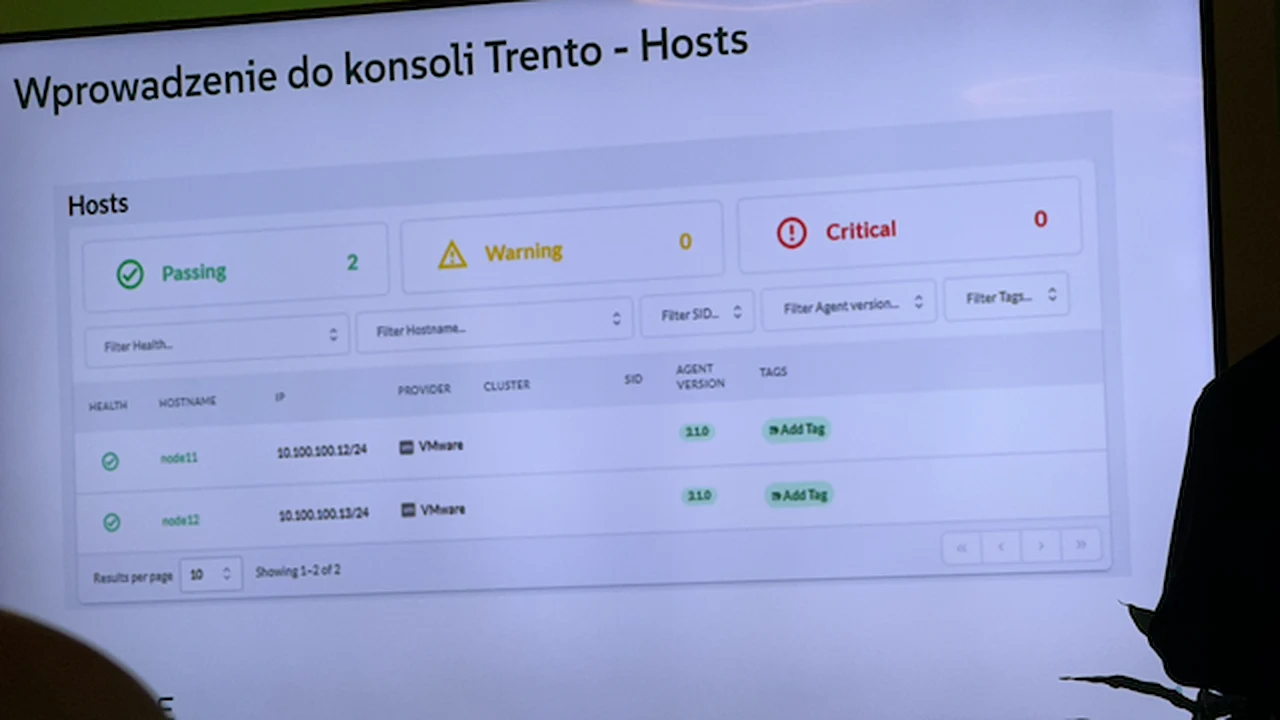
The Trento console - SAP hosts view with compliance check results
Trento is SUSE's console for monitoring SAP landscapes. It checks configuration against best practice and SAP Notes, and for every failed expectation it shows which facts it gathered, what value it expected and why the check failed. Version 3.0 adds a language model integration via MCP, with limits: operations protected by permissions, internal guardrails and one operation at a time per target.
**Jacek:** This is the direction I have been waiting for. An administrator facing a HANA failure at night needs someone to read the facts gathered from the cluster and suggest the next step. Another dashboard does little for them.
**Jarek:** As long as that someone does not take the step on its own. Every MCP server connected to production SAP is a new path for executing commands, which makes it new attack surface. One operation at a time and per-operation permissions are a good start, but on a project I would begin in read-only mode. We went into this in more depth in [three acts of SAP AI agent security](https://snok.ai/en/news/blog/three-acts-of-sap-ai-agent-security/).
## SAP HANA on KVM - a validated alternative to VMware
Next, Jarosław Biniek of SUSE turned to virtualisation. A hypervisor for SAP HANA cannot be just any hypervisor: SAP requires validation, because data consistency, a joint support line and near bare-metal performance all depend on it. According to the comparison in the SUSE presentation, VMware vSphere remains the leader with broad support, Nutanix AHV limits a virtual machine to 4.5 TB of memory, Red Hat OpenShift Virtualization is not supported by SAP (SUSE cites SAP Note 1122387, and Red Hat itself confirms the lack of support), and KVM in SUSE Linux Enterprise Server for SAP Applications is validated for both SAP HANA and other SAP applications.
Validation covers specific permutations: SLES version, CPU architecture, socket count, memory size, storage type and deployment scenario. For SLES for SAP 15 SP7 it currently spans Intel Xeon from Cascade Lake to Granite Rapids, virtual machines with up to 8 TB of memory, NFS, Fibre Channel and direct-attached storage, and both Single-VM and Multi-VM scenarios. The latest note, SAP Note 3741904, covers SAP HANA on SUSE KVM with SLES 15 SP7. SUSE's plans, subject to change, point to 16 TB on two-socket Diamond Rapids with version 16.1.
**Jacek:** No doubts here. KVM is part of SLES for SAP, so anyone with that subscription has already paid for it, often in the same year they are negotiating new vSphere terms with Broadcom. I made that case in [VMware vs KVM for SAP](https://snok.ai/en/news/blog/vmware-vs-kvm-for-sap/) and in our piece on [vendor lock-in in 2026](https://snok.ai/en/news/blog/vendor-lock-in-golden-padlock-or-bunch-of-keys/). The workshop supplied what the cost model lacked: a list of SAP Notes a Basis team can take to the board.
**Jarek:** And that list is what cools my enthusiasm. Validation covers a specific combination of OS version, processor, socket count and storage. If your servers are not in the table, or your database is larger than the validated VM size, you are not migrating this year; you are planning a hardware refresh. Before anyone counts licence savings, the Basis team should hold its own landscape up against SAP Note 3741904.
**Jacek:** To me that is an argument for taking stock before the VMware renewal, not after it.
**Jarek:** That I can agree with.
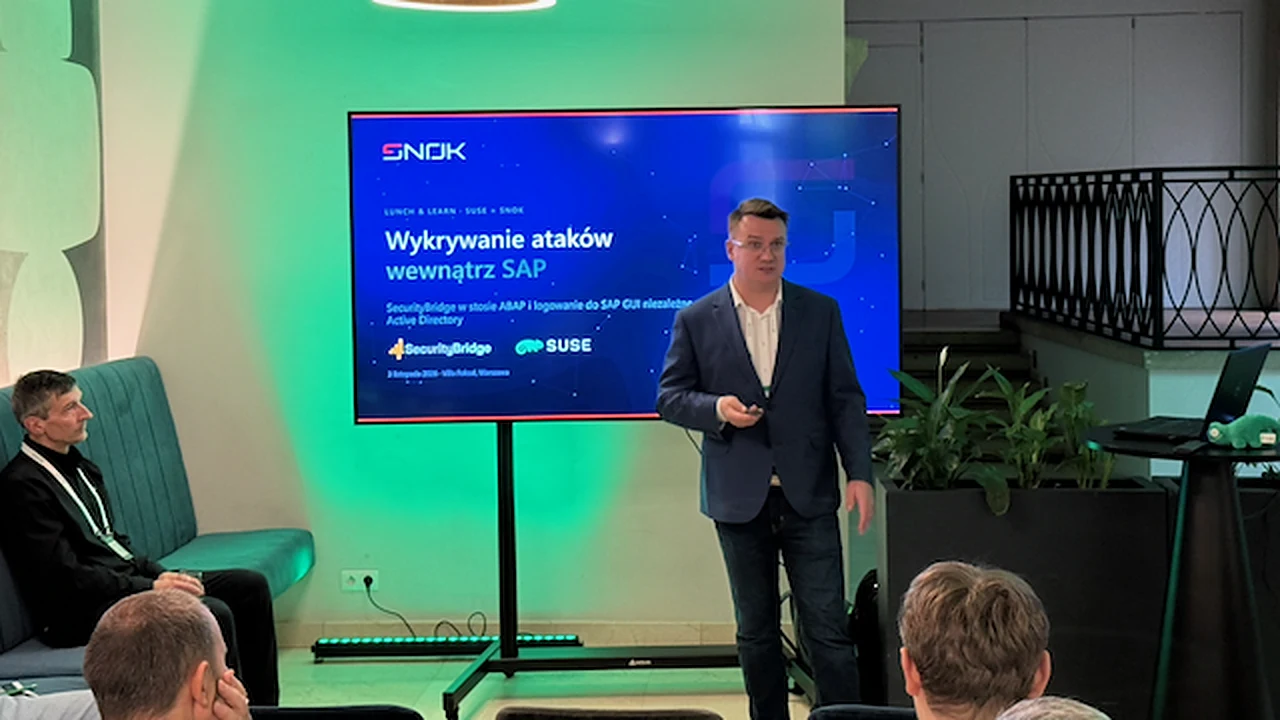
Detecting attacks inside SAP - SNOK session led by Jarosław Zdanowski
## SecurityBridge - detecting attacks the operating system cannot see
After the break came the SNOK session. Jarosław Zdanowski opened with the idea that tied the whole day together: a hardened operating system does not see the SAP application. Privilege abuse, an unusual RFC call or a change to a critical table all look like normal SAP process activity to the operating system and to EDR.
**SecurityBridge** runs as an add-on inside the ABAP stack, with no separate collector. According to the vendor's knowledge base, its Threat Detection module has 131 event sensors and hundreds of SAP-specific attack patterns. A critical event becomes an incident, the incident goes to the SIEM you already run (Splunk, IBM QRadar, Microsoft Sentinel, ArcSight, LogRhythm and others), and the platform can respond on its own, for example by locking an account or terminating a session. The subscription covers eight modules, from configuration assessment and SAP security note status, through an RFC and HTTP traffic map, to ABAP code vulnerability analysis and transport request control. ISO/IEC 27001, ISO/IEC 27002 and NIS2 frameworks are built in.
**Jarek:** This is the layer security operations centres watch least. SAP events never reach their tools, and SAP is not their daily territory. That is why I would start with detection inside the application, where the data and processes an attacker is after actually live. A compliance gap shows up on the day of the change, which matters under the obligations we described in [NIS2 and KSC in SAP](https://snok.ai/en/news/blog/nis2-ksc-sap-register-by-3-october/). The caveat I repeated in the room: the platform supports the compliance process but does not replace a legal assessment of an organisation's obligations.
**Jacek:** A simple sequence is tempting: first the platform and patching, which mostly cost discipline, then the application layer. On this point, though, Jarek is right.
**Jarek:** Attackers do not wait for us to finish phase one. Both layers have to run in parallel, or for a year of platform clean-up nobody sees what is happening inside SAP.
**Jacek:** That is the conclusion I take away from the day. A hardened platform with no visibility into SAP creates a sense of security that is not really there. We start detection inside the application straight away, in parallel with the operating system work. How we implement SecurityBridge is described on our [SecurityBridge page](https://snok.ai/en/offer/sap-security/securitybridge/).
## TrustBroker 5.1.1 - SAP GUI sign-on without Active Directory
The second half of the SNOK session covered sign-on. From version 5.1, TrustBroker supports OpenID Connect in the SNC library alongside Kerberos, so single sign-on to SAP GUI works without Active Directory in the middle, directly with Entra ID, Okta, Ping or Keycloak. Users authenticate with a passkey, Windows Hello for Business or a FIDO2 key, all phishing-resistant methods. Step-up authentication can be enforced when a sensitive transaction starts, on a specific screen or at an electronic signature. Kerberos and OIDC run side by side. The TrustBroker server package is available for SUSE Linux Enterprise Server 16, among others, so the platform SUSE hardened in the morning gained phishing-resistant sign-on after the break.
**Jarek:** Taking over a domain account is still the shortest route into SAP. As long as SAP GUI sign-on hangs on Kerberos, the identity controls built in the cloud simply do not exist on that path. I covered the technical detail in [TrustBroker 5.1 - SSO and MFA for SAP without Active Directory](https://snok.ai/en/news/blog/trustbroker-5-1-sso-mfa-sap-without-active-directory/).
**Jacek:** No argument here. I would add the board's view: this is one of the few SAP security changes users experience as an improvement, because the SAP password goes away. Budget is easier to secure for a project users do not resist.
## SUSE and SNOK: the whole SAP stack in one room
**Jacek:** SAP security conferences tend to split the layers. Infrastructure conferences stop at the hypervisor; security conferences start with authorisations and the SIEM. On 3 November both worlds sat in one room and talked about the same system. That is how we work day to day: under our [SAP Basis 24/7 support](https://snok.ai/en/offer/sap-security/sap-basis-24-7/) we look after the operating system, the database and the application at once.
**Jarek:** The conclusion is shared: neither an attack nor an outage respects the boundaries between the Linux team, the Basis team and the SOC. Whoever guards one layer sees only part of the picture.
After the sessions there was an hour for lunch and conversation. Our thanks go to the SUSE team - Tomasz Surmacz, Adam Jeż and Jarosław Biniek - for preparing the event with us, and to the participants for a full house. More about our partnership on the [SUSE and SNOK](https://snok.ai/en/suse-snok/) page.
## "SAP Cybersecurity from A to Z" is still available to download
Many of the workshop topics are developed further in our book [SAP Cybersecurity from A to Z](https://snok.ai/en/resources/sap-cybersecurity-a-to-z/), which we wrote together on the back of an SAP security hardening project at a large public institution. It runs to 304 pages across 24 chapters in five parts: identity and access, a threat model that includes AI agents, detection and response with a SOC and SIEM, and a compliance programme covering NIS2, DORA and ISO 27001, with a quarterly checklist for CIOs and CISOs in the appendix. The book is still available in English and Polish - fill in the form and we will send it to your business email address. The story behind it is in [SAP Cybersecurity from A to Z - the book is ready to download](https://snok.ai/en/news/blog/sap-cybersecurity-a-to-z-book/).
If you would like to see SecurityBridge or TrustBroker on your own landscape, or talk about moving SAP HANA to KVM, get in touch through our [SAP security page](https://snok.ai/en/offer/sap-security/securitybridge/).